Exact and similar image detection
Catch exact files and altered versions before the same banned image keeps spreading through your channels.
match found
Image Block scans images posted in your Discord server, detects exact and edited reposts, then applies the moderation rules you choose.
Simple enough for a server owner. Strong enough for active moderation teams.
Catch exact files and altered versions before the same banned image keeps spreading through your channels.
Configure what happens for exact, high, medium, weak, and oversized matches.
Send moderators clear match details, the uploaded image, and the banned image it was compared against.
The community posts normally. Image Block quietly checks images in the background.
A member uploads an image in a channel the bot can see.
It compares the upload against the server's banned image list.
Exact and similar matches land in a clear moderation bucket.
The bot deletes, reports, times out, bans, or applies roles based on your rules.
Set rules, review banned images, and read match reports right where your moderators already work.
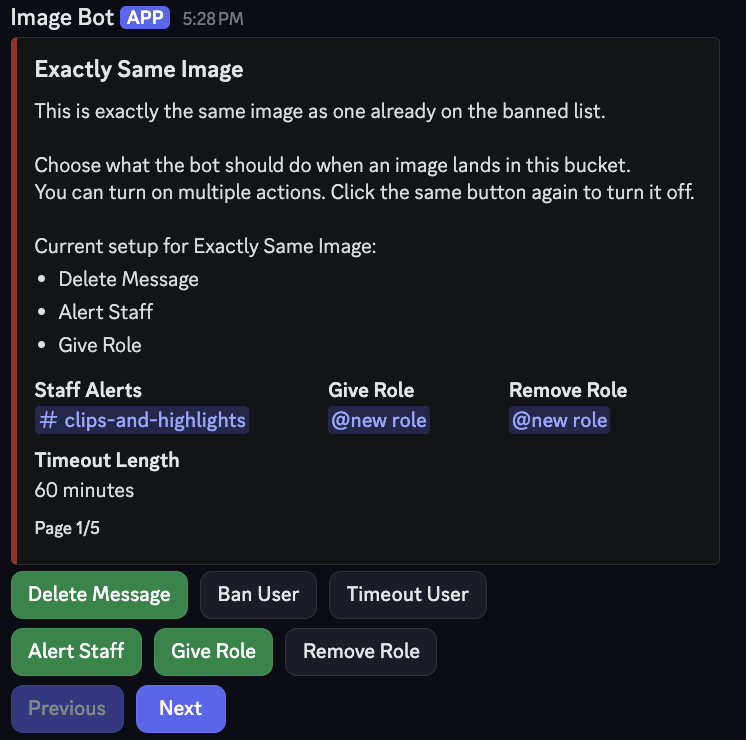
Server owners can choose different actions for exact, strong, weak, and oversized matches.
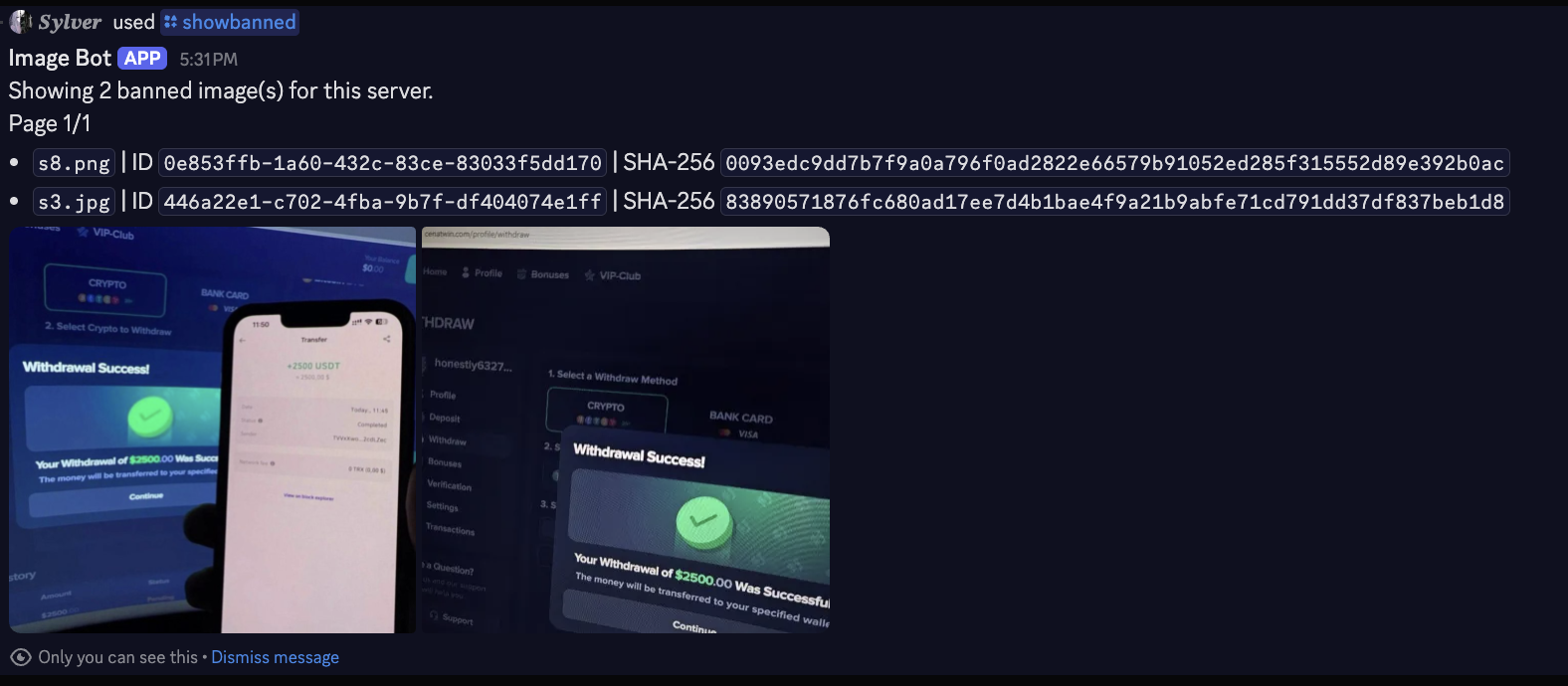
Moderators can see what is banned, including image IDs and hash context, without guessing.
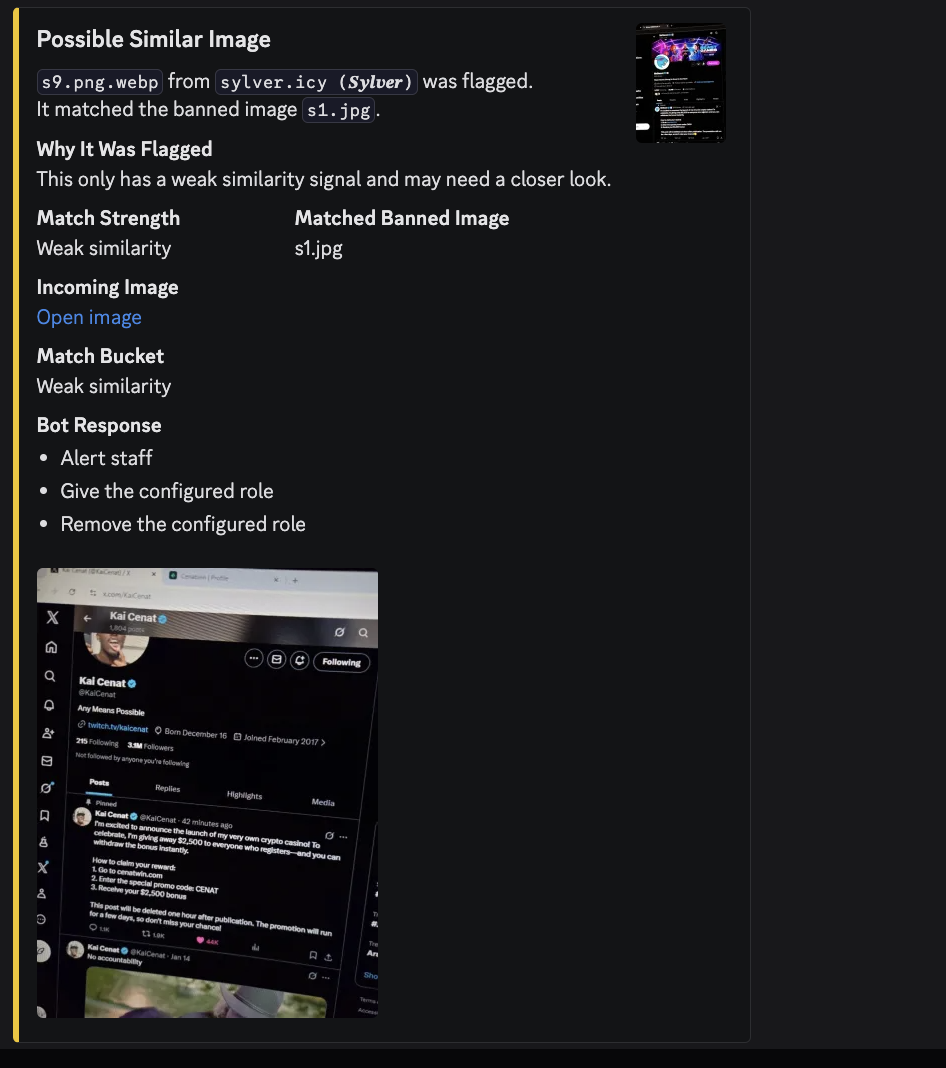
Staff can review the incoming image, matched banned image, reason, and configured response.
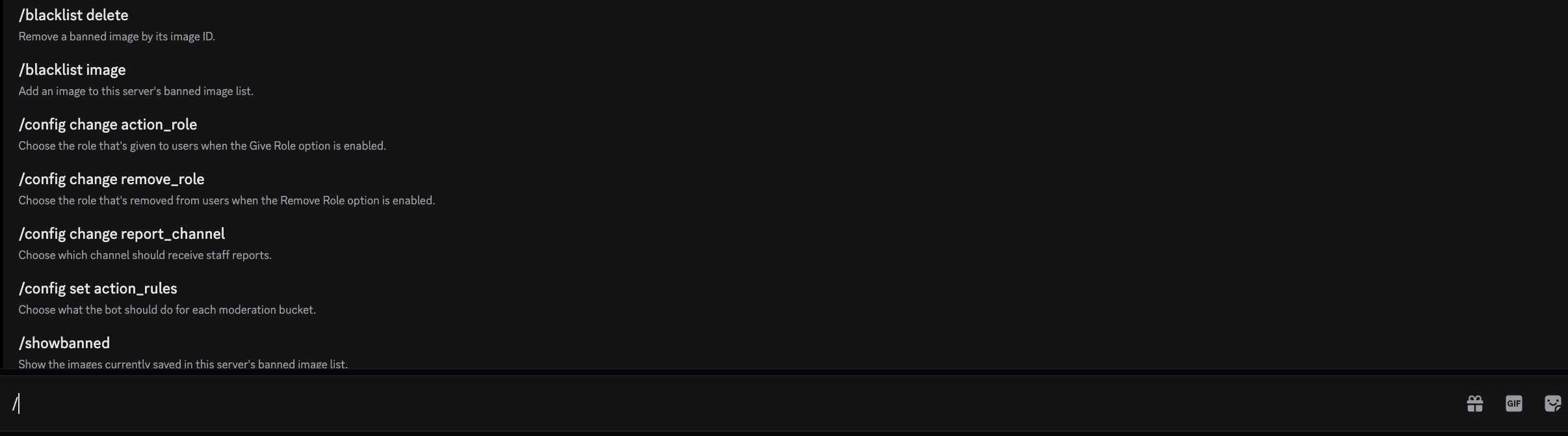
The bot stays understandable because the core setup and review commands are easy to discover.
Try it today for free in your server. Send feedback, share what your moderators need, and tune the setup around your Discord workflow.